

What is Geo-IP? Definition, Anonymity, Protection, and the Role of Proxies
05.06.2026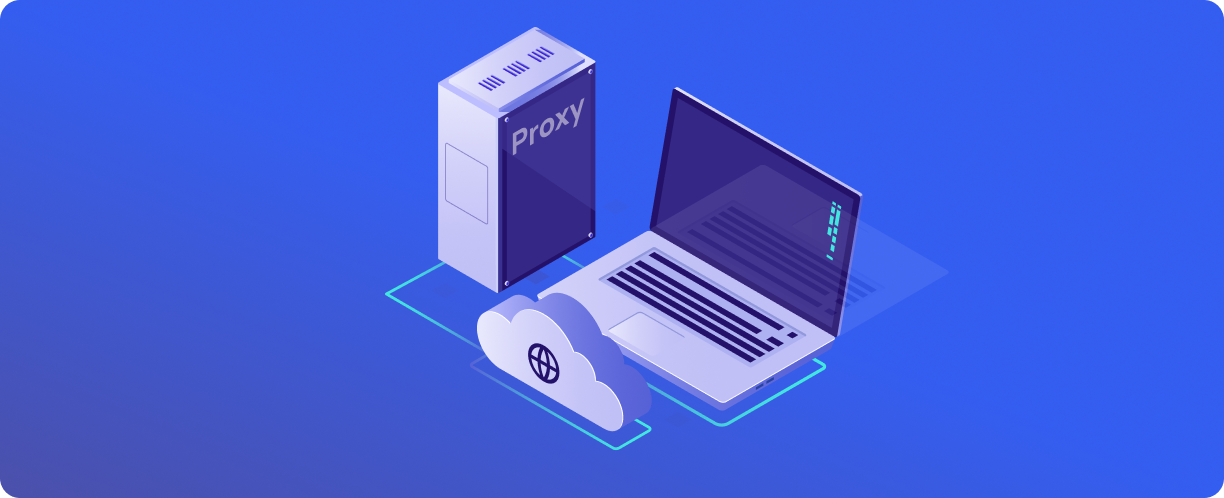
Every device connected to the internet receives a unique identifier — an IP address. This address can be used to determine not only the provider, but also the approximate geographic location of the user: country, region, sometimes city.
The technology that does this is called GeoIP. Websites use it to display local content, online stores use it to calculate shipping, and ad networks use it for targeting.
The downside: your location becomes available to websites without your consent. If you need to hide your real location or check what a website looks like to a user from another country, you need to interfere with this process. A proxy is one tool that allows you to do this.
What is Geo-IP
GeoIP is a technology for determining the geographic coordinates of a device based on its IP address. GeoIP databases map IP address ranges to information about country, region, city, and sometimes postal code and latitude/longitude coordinates.
Anonymity and privacy
When connecting directly to the internet, your real IP address is transmitted to every website you visit. The website can determine:
- your country and city of residence;
- your internet service provider;
- sometimes the type of connection (residential, mobile, corporate).
This data is used for content personalization, but it can also be logged, shared with ad networks, or, in the event of a leak, linked to your activity.
Protecting against Geo-IP detection
- Browser privacy settings. Clearing cookies, using incognito mode, disabling geolocation in the browser — these measures hide some data but do not affect the IP address. The website still sees where the request came from.
- Using a proxy. A proxy server replaces the IP address. The request goes to the proxy, which then sends it to the target website on its own behalf. The website sees the proxy's IP, not your real one. If the proxy is located in another country, it will appear as if you are there.
Proxies differ in their level of concealment:
- Transparent proxies — do not hide your IP and do not provide anonymity. They are used for caching or access control.
- Anonymous proxies — hide your IP but may add headers indicating that a proxy is being used.
- Elite (high-anonymity) proxies — completely hide the fact that a proxy is being used and your real IP.
The role of proxies in Geo-IP management
A proxy changes the visible IP address that a website associates with the user's geolocation.
- How it works
You connect to a proxy server in the desired country or city. The proxy forwards your request to the target website. The website sees the proxy's IP and determines the geolocation based on it. To the website, you are located where the proxy is located.
- A tool for testing
Developers and marketers use proxies to check what a website or advertisement looks like to users from different regions. There is no need to physically move or ask colleagues from other countries to take screenshots.
- Data collection
When parsing websites with geo-dependent content, proxies in the required region allow you to collect correct data, rather than a generic version for everyone.
Practical applications of Geo-IP and proxies
Content personalization and targeting
Websites automatically adjust language, currency, and prices to the visitor's region. If you are seeing the wrong version, perhaps the site has incorrectly determined your geolocation. Or you are using a proxy to see what the site looks like for other regions.
Testing website performance in different countries
SEO specialists check a website's position in search results from different countries. Advertising agencies check how ads are displayed in local campaigns. Website owners test geotargeting.
Personal data protection and anonymity
A proxy hides your real IP, making it more difficult to link activity to a specific user. For journalists, activists, or simply those who do not want to leave a digital footprint, this is an additional layer of protection.
Recommendations for safe use
Choosing quality proxies
Free proxies are often slow, unstable, and potentially dangerous — it is unknown who controls the server and whether traffic is logged. For serious tasks, you need paid proxies with anonymity guarantees and no-logs policies.
Monitoring and regularly checking IP addresses
A proxy may change its geolocation over time or end up on blacklists. Regularly check which IP and geolocation the website sees when connecting through your proxy.
Combining proxies with other privacy tools
A proxy hides your IP but does not encrypt traffic. When working with sensitive data, it is better to combine a proxy with HTTPS for full encryption.
Belurk provides proxies with different levels of anonymity and wide geographic coverage. The catalog includes elite proxies that do not transmit information about the fact of their use. The service allows you to select a country and city for the IP address, which is convenient for testing regional search results and collecting geo-dependent data. All proxies are checked for cleanliness before sale, and technical support helps with configuration and resolves issues. This makes Belurk one of the tools for managing GeoIP in professional tasks.
Try belurk proxy right now
Buy proxies at competitive prices
Buy a proxy